Open Assets and pick the collection
On screenAssets · People · Consumables · Contracts · Vendors
Assets, People, Consumables, Contracts and Vendors sit in a strip across the top. Swipe it to see them all. Contracts and Vendors live here now, with the assets they're attached to — nobody goes to Settings to find out when a lease ends.
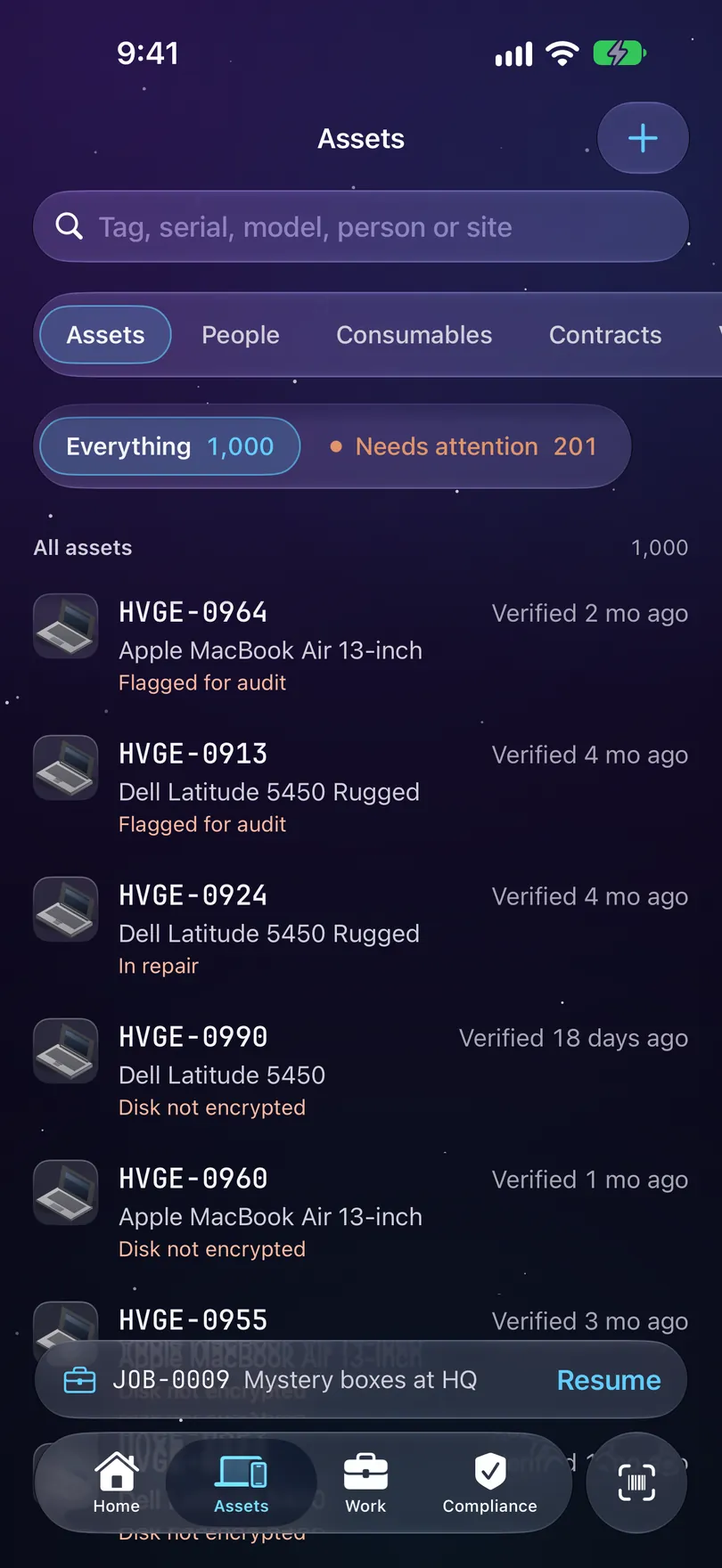
The Assets tab. Five collections behind one search bar, and the filters beside it. Search by whatever you know
On screenAll · Tag · Serial · Person · Site
The search bar takes a tag, serial, model, person or site. Once you type, a scope row shows up: All, Tag, Serial, Person or Site, if you want to narrow it. Recent searches show when the bar is empty, and they're held in memory only — never written to disk. If nothing matches, it says so and offers to add the machine. What you typed is never filed as data; it's a question, not a serial.
Rows are named the way your register names them
On screenNo serial
Show assets by is one choice for the whole register, set in Settings → Fields: Asset tag, Serial number or Hostname. Whatever it names is what every list, receipt and reminder calls the machine. A record missing the chosen identifier falls back to the tag in quieter ink, marked with a caution pill like No serial.
Use the filters for the question you actually have
On screenEverything · Needs attention · Removed · No serial
Everything is the whole register, with its count. Beside it, Needs attention, with its count, like Needs attention 201: one of three things — past your verification cadence, flagged for audit, or in repair. A machine still in its box isn't overdue. Removed keeps the records of what's gone, because the whole reason to open one is to find out what happened to it. And while any record has no serial, a No serial chip joins them.
Read the line on the right
Each row says when it was last verified: Never verified, Verified today, Verified 5 days ago, Verified 13 mo ago. That's the date an auditor asks about, so it's spelled out rather than a coloured dot.
Swipe instead of opening
On screenVerify · Check out · Check in
Swipe a row to Verify it, or to Check out or Check in. A short note names the tag so you know it landed, even when the row leaves the list under your thumb. Long-press a row for the same actions.
People shows who still holds kit
On screenNo longer in the directory
Below the directory, People lists anyone no longer in it who still has equipment, with a count each. It's a standing list, not a report you have to remember to run.
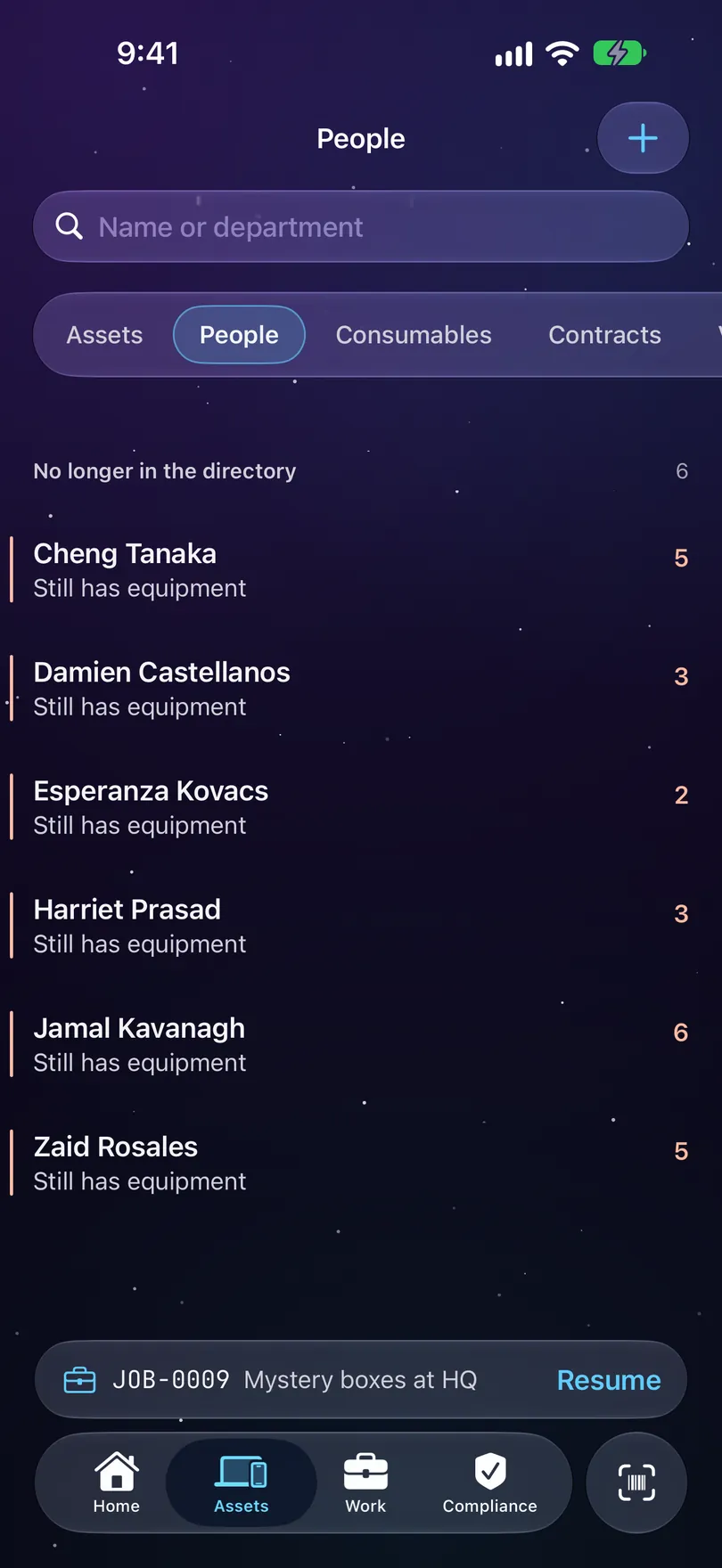
People. Below the directory, the leavers who still hold kit.
Stuck on a step, or a screen here does not match the one in front of you? Write to support@depaloconsultingllc.com and say which step. The app moves faster than this page does.