The record is a sheet, and the header is the identification
On screenActive
A tile for the type of machine, the asset tag in full size, and the status as a pill beside it. Under them: what the machine is, when it was added, and a thumbnail of its label. If the tag on screen doesn't match the one in your hand, stop — everything below is about a different machine. Tapping the pill opens the Status editor, the same one Edit uses. A removed record's pill says Removed and takes no tap.
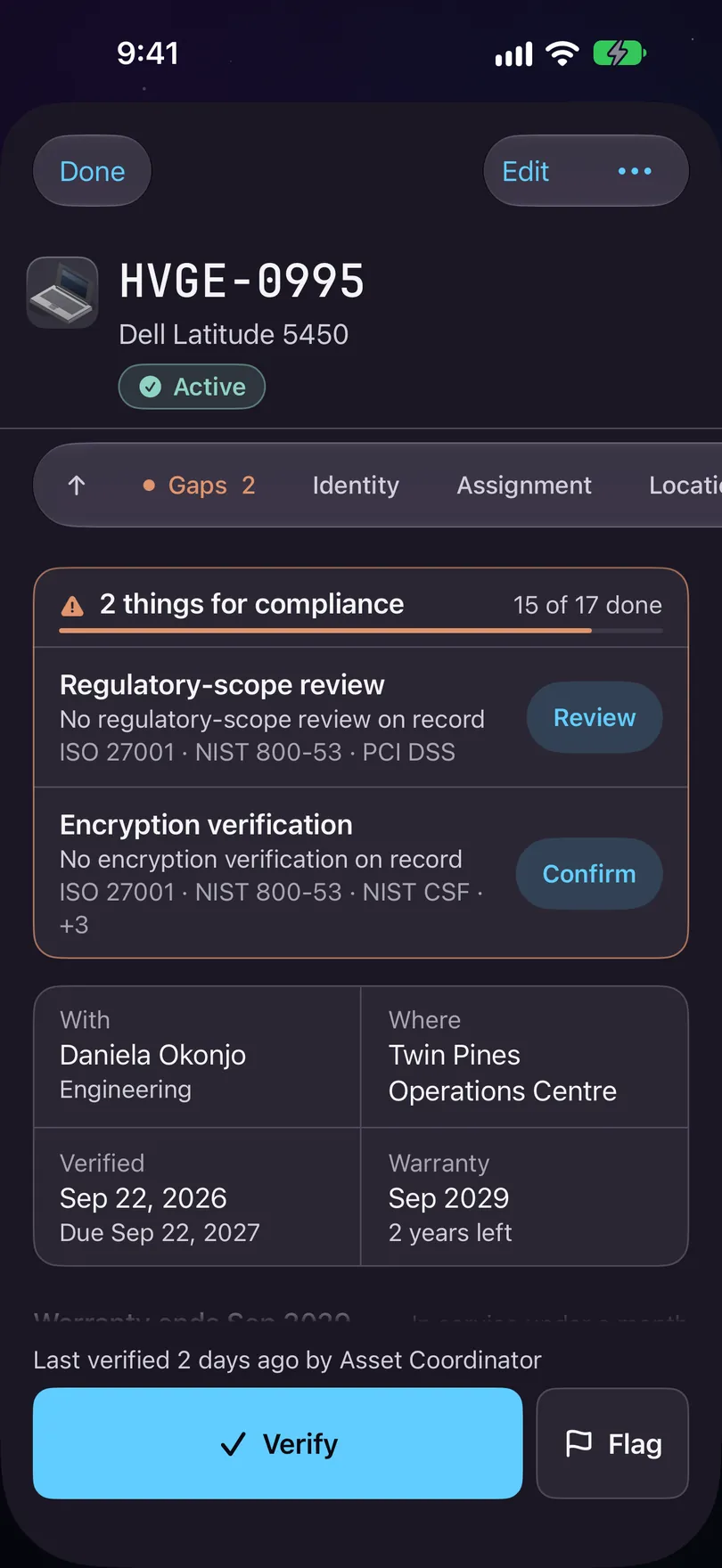
One record, opened. One card of bands, from Identity to Activity. One card of bands, in the register's order
On screenIdentity · Assignment · Network · Compliance · Financial · Lifecycle
The whole record is one card, grouped the way the Mac groups it: Identity, Assignment, Network, Compliance, Financial, Lifecycle, then your register's Custom fields, then Related and Activity. A row of chips is pinned under the header while you scroll, one per band, and the one you're in lights up. No more folded folders: every field is drawn, in its band, in the same order every time.
Search the fields, or choose your columns
On screenSearch 53 fields · Columns
Under the header sit a search bar — Search 53 fields, with the count of what this record holds — and a Columns button. Search jumps to the field and lights the band it sits in. Columns picks which columns this iPhone shows on the card; it's your choice, kept on this phone, while the record itself stays the register's.
Where it's short of evidence, it says so at the row
On screenScan · Add · Verify · Review
A missing serial, a compliance gap, a check that's due: each is drawn at its own field in caution with one button — Scan for a serial nobody has recorded, Add, Verify, Review — and the standards that ask for it named under the row, like ISO 27001 · ISO 19770. Pressing the button only takes you to the act; nothing is recorded until you do it.
The pill says what state the machine is in
On screenStatus · Warranty · Book value
The status pill in the header names the state the record holds — Active, In repair, Lost — and tapping it opens the Status editor directly. The warranty sentence is a row in the Financial band, spelled out at its own field: Warranty ends in 40 days, or Lapsed 2 years ago when it has passed. A lost, stolen, decommissioned or written-off machine has no service life to draw: the pill carries its state, the Book value row carries the money, and nothing about a machine nobody has is said twice.
Verify and Flag, only while they're the job
On screenVerify · Flag
The bar stands at the foot only while a check is due — Never verified, Overdue with the date it was due since, Due in 12 days, or Flagged for audit — with Verify and the flag on one row. Otherwise the Verified tile carries a small Verify instead, or reads Verified today ✓, and the person who did it gets no second Verify, because a second stamp the same day adds nothing. Verify records that you have seen this machine, with your name and the time. Flag raises or lowers the audit flag, and is always beside Verify.
Photographs is condition evidence
On screenPhotographs
One row. With nothing taken it says so plainly. Once there are pictures it says how many are kept on this iPhone, or how many are waiting to send. Condition evidence is the one thing on a record that can't be reconstructed later from anywhere else.
Related, Activity, and the things behind •••
On screenRelated · Activity · •••
Related and Activity end the card: what's attached to the machine, and the trail of who changed what and when, each line naming the field and the two ends of the change. The ••• at the top holds the rest: Show label, Write NFC tag, Delete, custody, and the attestations. A delete comes with a receipt — it goes under Removed in Assets, and a record under Removed can still be opened to find out what happened.
Stuck on a step, or a screen here does not match the one in front of you? Write to support@depaloconsultingllc.com and say which step. The app moves faster than this page does.